
Standalone app · Open source · Free
PFR Sentinel
Your observatory's eyes, all night.
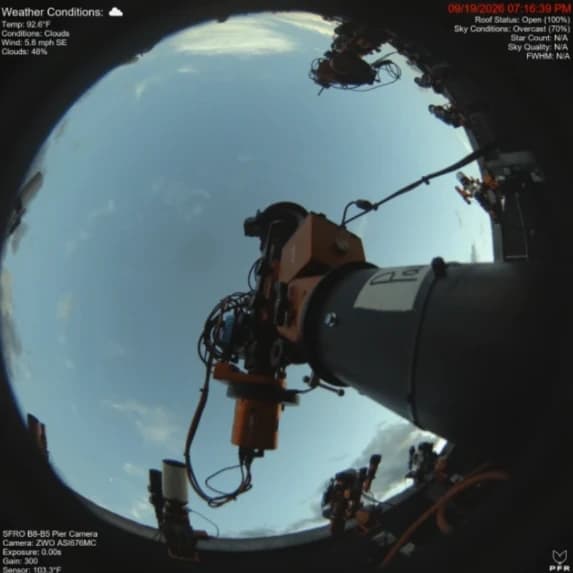
Live monitoring, overlays and automation for observatory sky and pier cameras. Built to run unattended, every night.

- Latest release
- v3.7.9
- Platform
- Windows 10+
- License
- MIT
Watch the overview
Scrub back through any night, with the all-sky overlay and every event on a timeline.
How it works
One pipeline, every frame
Each capture cycle follows the same path, and it keeps running unattended for days at a time.
Capture
A frame arrives from a ZWO ASI camera or a watched folder.
Process
Resize, MTF auto-stretch, auto brightness and saturation.
Classify
Local ML models read roof state and sky conditions.
Overlay
Text, image, compass and all-sky layers are composited.
Publish
Every active output receives the frame at the same time.
Capture
Two ways in
Let Sentinel run the camera itself, or sit it alongside the capture software you already use.
ZWO Camera
Sentinel drives a ZWO ASI camera itself.
- Auto-exposure, gain and white balance
- Recovers when the camera drops off USB
- Scheduled capture
Directory Watch
Sentinel processes whatever lands in a folder.
- Works with NINA, SharpCap or any camera
- Reads FITS, JPEG and PNG
- Also runs from source on macOS and Linux
Features
More than a timestamp on a JPEG
All-Sky Overlay
Constellations, stars, deep-sky objects and planets, placed by a lens model fitted to your camera.
Read the docsMeteor Tracker
BetaFinds single-frame streaks and rejects planes and satellites. You confirm or dismiss each one.
Read the docsRoof & Sky Classifiers
BetaLocal ML models report roof open or closed, and grade the sky. No cloud service.
Read the docsNightly Timelapse
An H.264 video encoded as the night goes, with optional automatic YouTube upload.
Read the docs- 19:14Roof opened
- 19:18Meteor ×8
- 08:25Roof closed
Image Library
Every night archived and scrubbable, with a band showing roof and sky conditions.
Read the docsOverlays & Tokens
Text, image and compass overlays that fill in from camera metadata and weather.
Read the docsOutputs & integrations
Publish everywhere at once
Every output can run at the same time.
- File outputEvery processed frame saved to disk.
- Web serverLatest frame at /latest, JSON status at /status.
- DiscordPeriodic image posts, plus roof and error alerts.
- Hermes webhooksSigned JSON notifications for an agent to deliver.
- N.I.N.A. pluginA live panel inside NINA, plus Start/Stop sequencer instructions.
- Capture Control APIStart and stop capture over HTTP, token protected.

Community & support
Built in the open
The docs, the roadmap and the conversation all live on GitHub. Ask a question, follow a dev build, or tell me what broke.
Wiki
GuidesDiscussions
LatestIssues
7 open- Cross-platform Phase 6: update docs, rules and issue templates for macOS#42 · documentation · area: camera
- Cross-platform Phase 5: packaging and updater for macOS#41 · enhancement
- Cross-platform Phase 4: autostart and self-restart on macOS and Linux#40 · enhancement
- Cross-platform support: macOS and Linux (tracking issue)#1 · enhancement
Get started
Running in a few minutes
Quick start
- InstallRun the installer. It bundles Python, every dependency and the ZWO ASI SDK.
- Choose a capture modeDetect your ZWO camera, or pick the folder your capture software writes to.
- Switch on outputsEnable file, web, Discord or any combination on the Output page.
- Add overlays and startDrop in text tokens, press Start Capture, and watch the live preview.
Requirements
- Operating system
- Windows 10 or later
- Camera mode
- Any ZWO ASI camera (SDK bundled)
- Timelapse
- ffmpeg — installable from inside the app
- Weather overlays
- Free OpenWeatherMap API key
- All-sky overlay
- Your latitude and longitude
- NINA plugin
- NINA 3.x on the same PC